
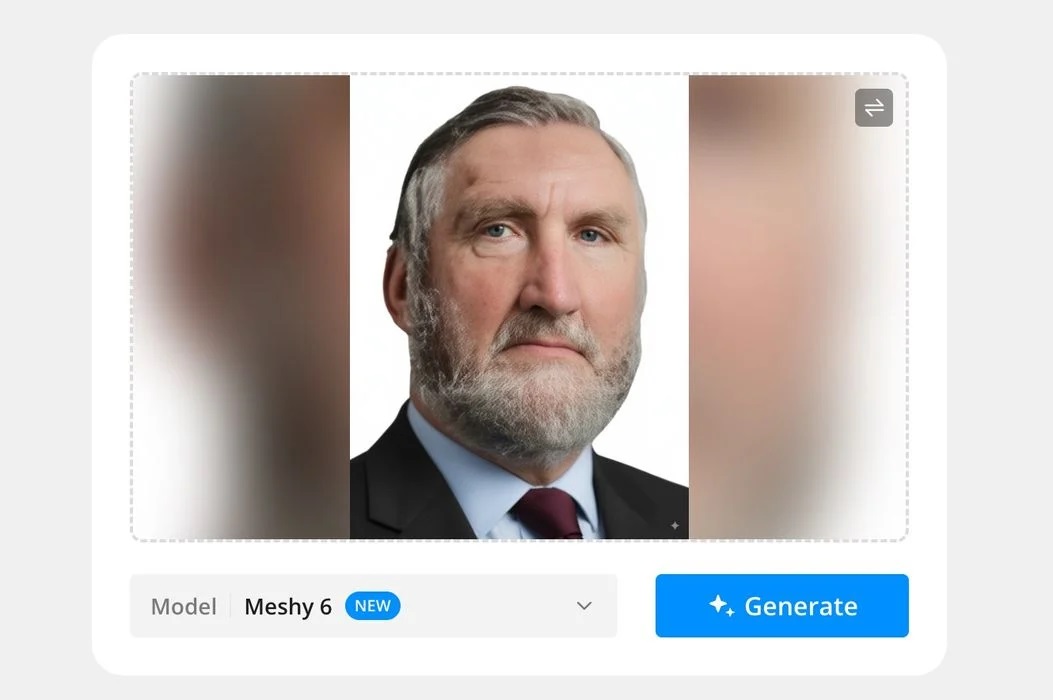
Bambu Lab has added a powerful feature to MakerLab: Meshy 6.
MakerLab is the company’s experimental area that allows users to create new 3D models suitable for printing. In the past, they added a feature to perform image-to-3D generation using AI. Users can simply drag in a 2D image of anything, and the service will, in a few minutes, generate a fully 3D printable model of that image, including the hidden sides.
Of course, a better image results in a better result. Typically, you’ll want to use an image that has only the subject and a completely blank background. This causes less confusion during generation and usually produces a superior 3D model.
The last time I tried this service, Bambu Lab had partnered with Tencent to use their interesting Hunyuan AI model, which is trained to perform image-to-3D processing. I found the results to be pretty good for organic models, but don’t expect to generate precisely dimensioned mechanical parts with it.
However, a large portion of Bambu Lab’s community is perfectly fine with organic shapes: the family dog, that new car, Uncle Bert, and that weird sculpture in the park are all easy processing for image-to-3D services.
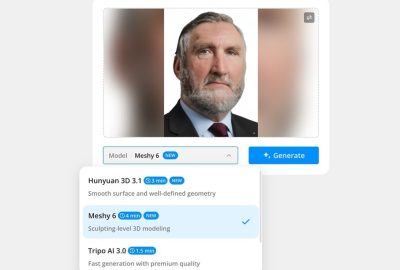
Now, Bambu Lab has added a new option to their image-to-3D service: Meshy 6. In fact, there are actually three models you can choose from: Hunyuan 3.1, Meshy 6, and Tripo AI 3.0. It’s a good idea to try different models on a given image because they may treat the image a little differently. Then, choose the best result from the three.
I’m quite interested because Meshy 6 can provide incredibly detailed 3D models based on my previous testing. However, using Meshy directly is a subscription service, although they do have a free tier that provides limited access.
There doesn’t seem to be any limitations with the MakerLab version of Meshy 6, as far as I can tell, aside from the two credit fee to download results. The only real limit is time. In my testing, the image-to-3D example took almost four minutes to complete. That’s not fast, but on the other hand, it’s completely free to use.
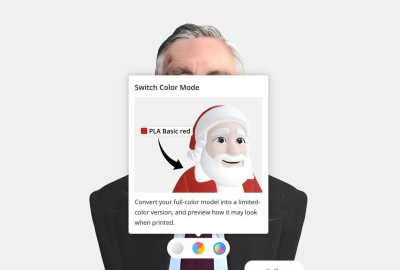
Now this is extremely interesting: once the Meshy 6 generation has completed, the system offers you the opportunity to “switch color mode” from a fully realistic photo-level colour to a “limited colour version”. The idea is that they can boil down the colour textures to four specific colours, which can then be 3D printed in a single job.
That’s because most Bambu Lab 3D printers — and now many others — typically have an optional way to print multicolor jobs. This is effectively a shortcut you can use instead of tediously colouring in a new blank 3D model by hand.
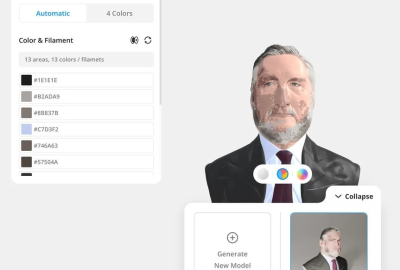
Reduced colour mode attempts to get “close” to reality with a limited set of colours. In my case here, you can see that they first attempted to do it with 13 different colours. Note that MakerLab provides the RGB hex colour codes for each! You could then purchase the exact filaments with those colours for a perfect result from, say, Polymaker, which includes a method to search filaments by RGB hex code.
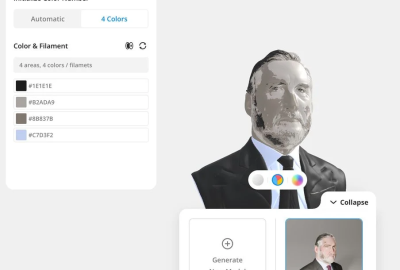
Reducing to four colour mode obviously constrains the situation considerably, particularly on a complex textured object such as the bust I am working on here. Nevertheless, this is an amazing step forward in colour printing.
Once you’re done and ready to export, you need to specify which Bambu Lab 3D printer model you’re using, along with its currently installed nozzle diameter. Then the service composes a ready-to-print 3MF file for download. You can also download a plain STL format file, or a GLB file if interested.
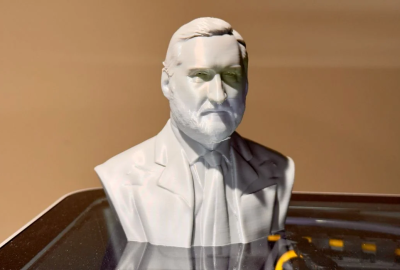
This is quite an amazing service provided by Bambu Lab, and should light up many in their community. That’s important because the ease of use of their equipment has attracted a great deal of novices to 3D printing who otherwise might have trouble obtaining useful 3D models to print. This service allows them to nearly instantly create custom 3D models that are highly relevant.
Via MakerLab